



Introduction
The concept of an upmarket Chromebook isn’t new. I’ve tested Chrome OS 2-in-1s, tablets and traditional laptops with prices to make you weep; Google even had a few tries itself. None ever quite stuck the landing in the face of more versatile Windows machines – but the Lenovo Chromebook Plus 14 might finally be the tipping point.
This figurehead for Chrome OS’ latest Gemini AI additions has a sleek metal design that rivals the greatest ultraportables, a dazzlingly vibrant OLED screen, an impressively powerful chipset from an unlikely source, and enough battery life to last an entire day. The fact you can score one for $649/£499 might even make you think twice about the MacBook Air.
Having now used one as my main machine for a week, I’m convinced that for a certain sort of shopper, this really is all the laptop you could need.
Design & build: silver lining
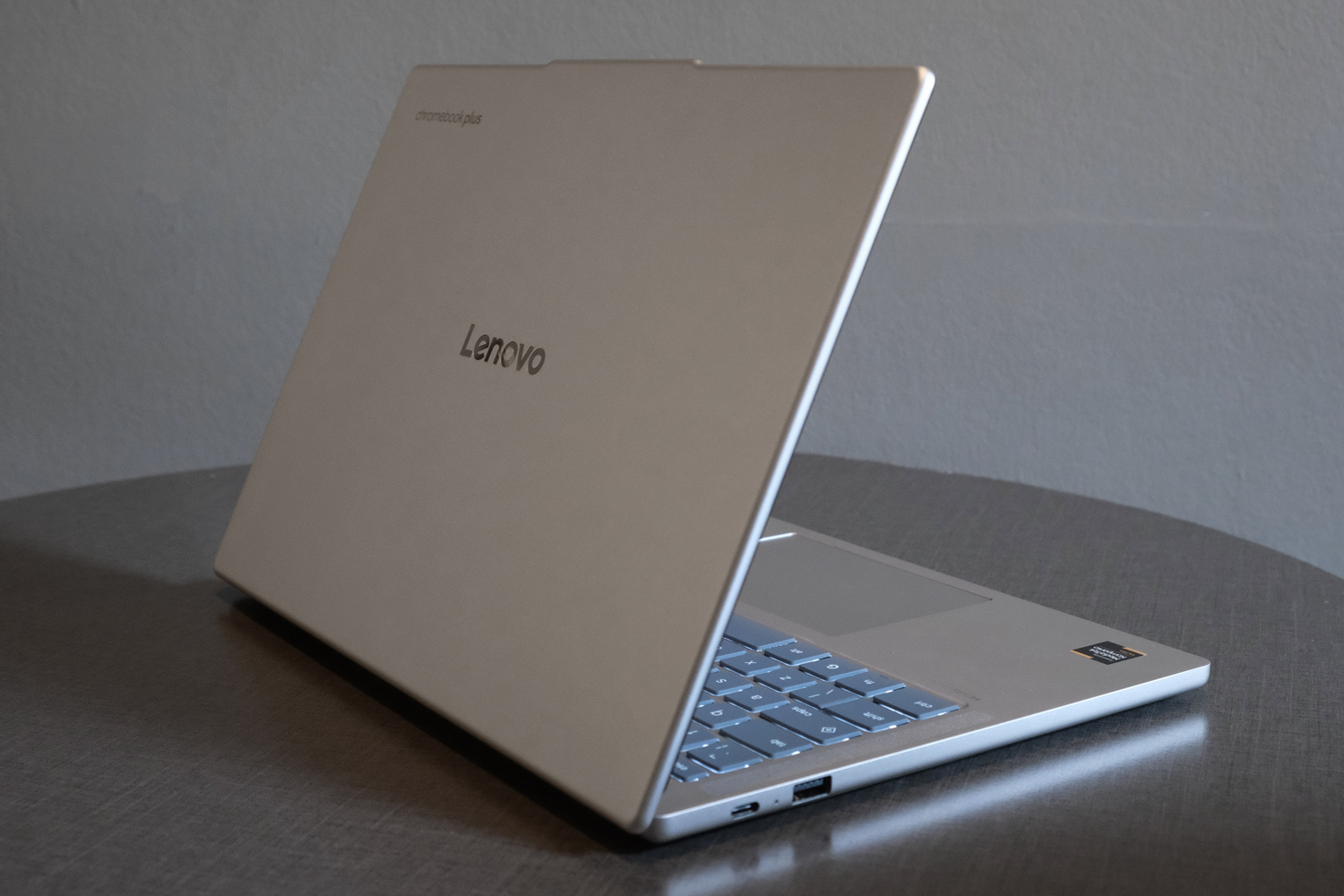
Not every Chromebook is a budget system aimed at school kids, but the Lenovo Chromebook Plus 14 puts even the higher-end alternatives to shame with its sleek, aluminium-shelled body. Even better, it seems to shrug off fingerprints, so stayed looking pristine throughout my testing.
I like how the rubberised base provides plenty of grip to stop the laptop sliding around your desk while you’re prodding the expansive glass touchpad, and that you can’t see it at all from the sides, making it look like a pricier unibody machine.
The lid’s slightly protruding lip and the embossed logo are really the only Lenovo hallmarks, with the softly rounded edges and keyboard layout feeling like they could’ve come straight from Google’s design centre. The ridged patten on the underside isn’t too far removed from the Google Pixelbook Go, either.
OK, so the Samsung Galaxy Chromebook Plus is thinner, but you could hardly call this laptop a chunk, and at just 1.17kg it’s satisfyingly light. The 65W power brick being no bigger of heavier than the ones you used to get bundled with new phones helps, too. I had no qualms tossing it in a bag for a day of working on the move.
The 5MP webcam built into the screen bezel doesn’t support facial recognition, but is sharp and detailed enough for video calls. Google’s on-device background blur and appearance effects are nice to have here. Biometrics are limited to the fingerprint reader at the far side of the keyboard, which was quick to detect my digits.
Android smartphone owners can also use their handset to bypass the lock screen; this is just one of the convenient connectivity extras available once you pair both gadgets, which also includes options for recent Chrome tabs, photos, and notifications to appear on the laptop. It’s so much more intuitive than Windows 11’s Phone Link software.
About the only thing worth grumbling about is the limited connectivity at the sides. A single USB-A, two USB-Cs and a 3.5mm headphone port are all you get, and the USB-C count is halved if you’re connected to mains power. While no HDMI might be a downer, at least the USB-C ports can output to a display.
Keyboard & touchpad: happy tapping
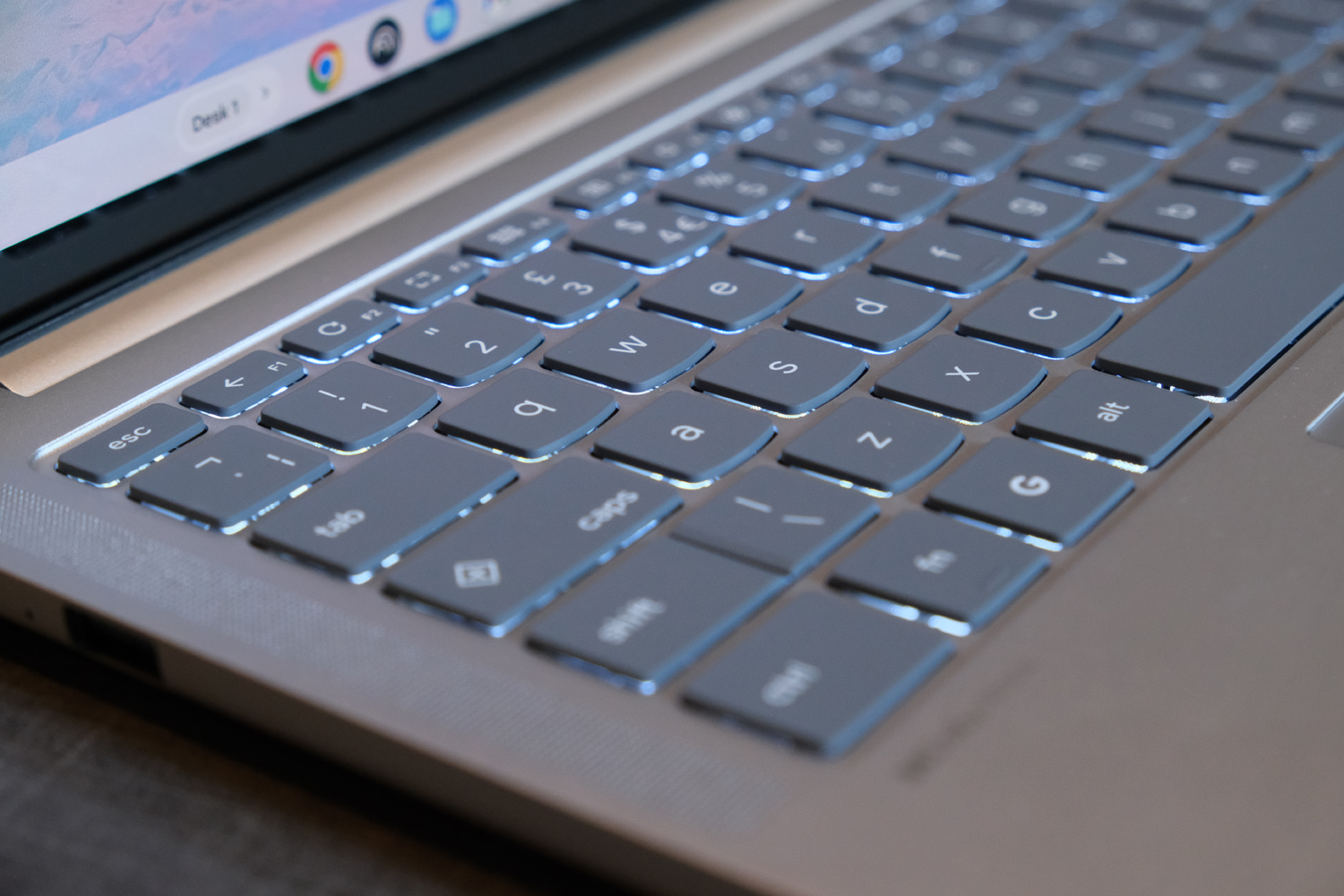
The Chromebook Plus 14’s shield-shaped QWERTY keyboards might be signature Lenovo, but the layout is standard Chromebook fare. That means Google’s G key nestled between the function and Alt keys, and the Insert key takes priority over caps lock (though holding Fn will still toggle capital letters IF YOU REALLY WANT).
Half-height row of multimedia keys and split arrow buttons aside, you’re getting a full-width keyboard with plenty of space between each key. Everything is evenly backlit, and the sensible choice of dark grey key caps means the white LEDs don’t impact your ability to see the key inscriptions during the day.
Typing on this keyboard was a delight, with a satisfyingly tactile feel to each key. Travel distance felt perfectly judged, and they won’t bottom out unless you hammer the keys with the fury of Thor. Using a gentler amount of force saw keys quickly bounce back into position. I was up to speed pretty much straight away and likes that there was plenty of room to rest my wrists either side of the expansive glass touchpad.
It’s a mechanical clicker, rather than a haptic one, but that’s not a big surprise given the price. You get smooth and friction-free swiping, flawless multi-touch gestures, and a satisfying audible click whenever you prod it. There’s really nothing to complain about here at all.
Screen & sound: crowning glory
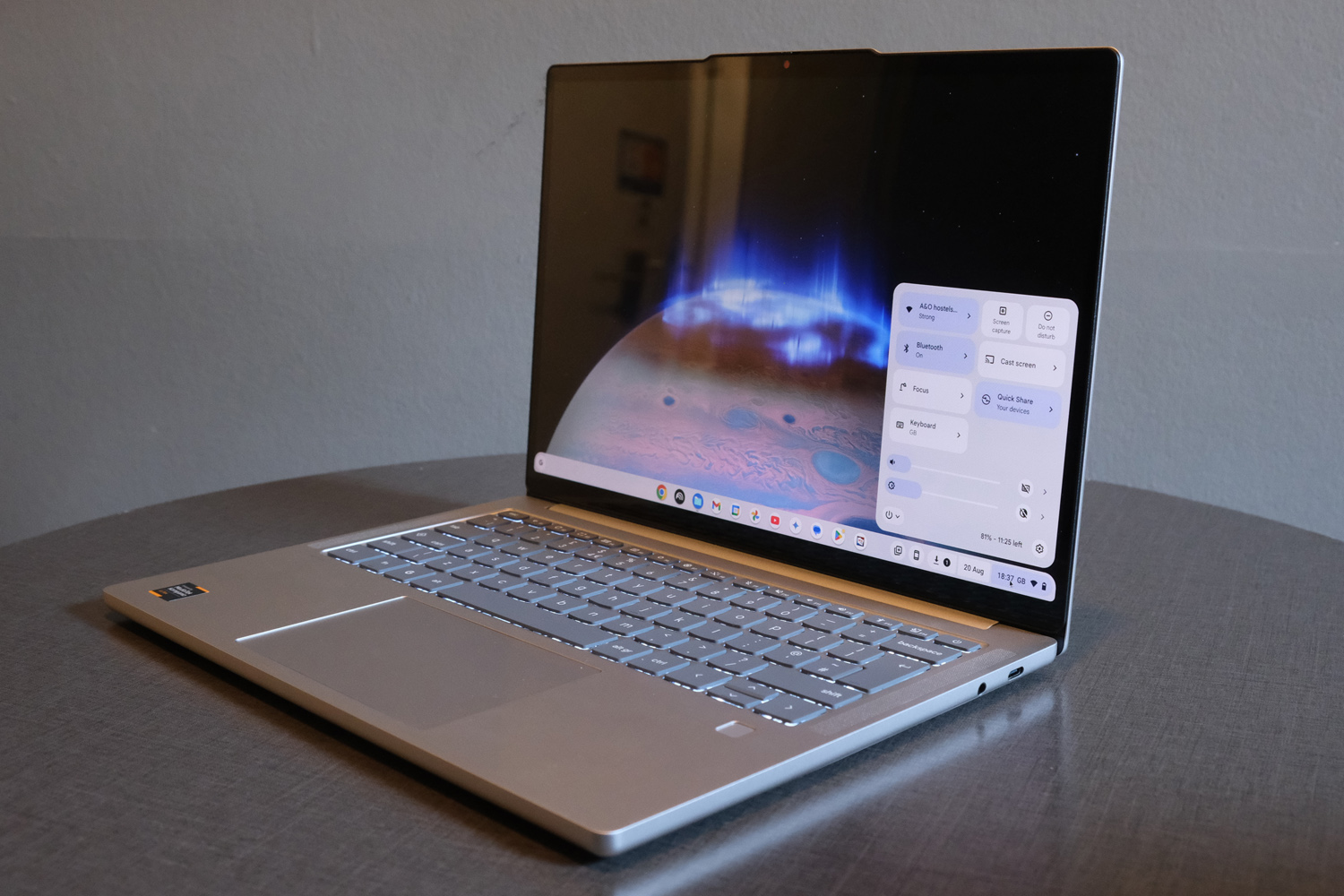
Prise open the stiff lid (you really do need two hands to open this laptop up) and the Lenovo Chromebook Plus 14 reveals its gorgeous 14in OLED display. It has the same 1920×1200 resolution as the Samsung Galaxy Chromebook Plus, only squeezed into a smaller panel, so everything looks that bit sharper.
The 60Hz refresh rate might not set pulses racing, but the inherent responsiveness of OLED tech means motion still feels very fluid. Black levels are basically perfect and contrast is exceptional, as you’d expect, but Lenovo has done a great job delivering wide colour coverage and good accuracy to boot. Photos and videos really stand out on this screen. It’s a world away from the cheap LCDs you often find on budget Chromebooks.
The glossy finish does make screen reflections a bit of a chore at times, but it can pump out a good amount of brightness to compensate. Google claims a 400 nit peak, and while it doesn’t appear to get quite that high in regular use, I was able to get work done while sat outdoors, without having to hunt for shade using the screen’s extensive tilt range.
There is a version of this laptop that comes equipped with a touch screen; it’ll set you back a bit more, but double the storage capacity and a bump to 16GB of RAM help sweeten the deal. I’ve not tried this variant, though.
I can be sure that the Lenovo Chromebook Plus 14’s speakers are some of the best you’ll find on any laptop running ChromeOS. The quad-driver setup uses Dolby Atmos, a first for a Chromebook, to deliver serious sound for a machine so svelte. There’s generous levels of volume here, along with a balanced tone that even hints at some low end.
Performance: new pace setter
Traditionally chip-maker MediaTek has been more at home with smartphones, but the Kompanio Ultra 910 processor is a serious step up for the firm. It’s based on ARM architecture, like Apple’s newer MacBooks and Windows laptops with rival Qualcomm’s Snapdragon X CPUs, and has enough oomph to lift the Lenovo Chromebook Plus 14 to the peak of the Chromebook mountain.
Eight cores, an integrated graphics chip and an AI-assisting NPU deliver the sort of performance I’d expect from Windows laptops with Intel Core i5 CPUs. It’s made on a 3nm process, too, which is a big win for power efficiency, and the 12GB of RAM felt like plenty during my testing. 128GB of SSD storage isn’t huge, but it’s quick. The dark days of Chromebooks coming with sluggish NAND flash are well and truly in the past.
| Lenovo Chromebook Plus 14 | |
|---|---|
| Geekbench 6 single-core | 2491 |
| Geekbench 6 multi-core | 7482 |
| Geekbench AI | 2971 |
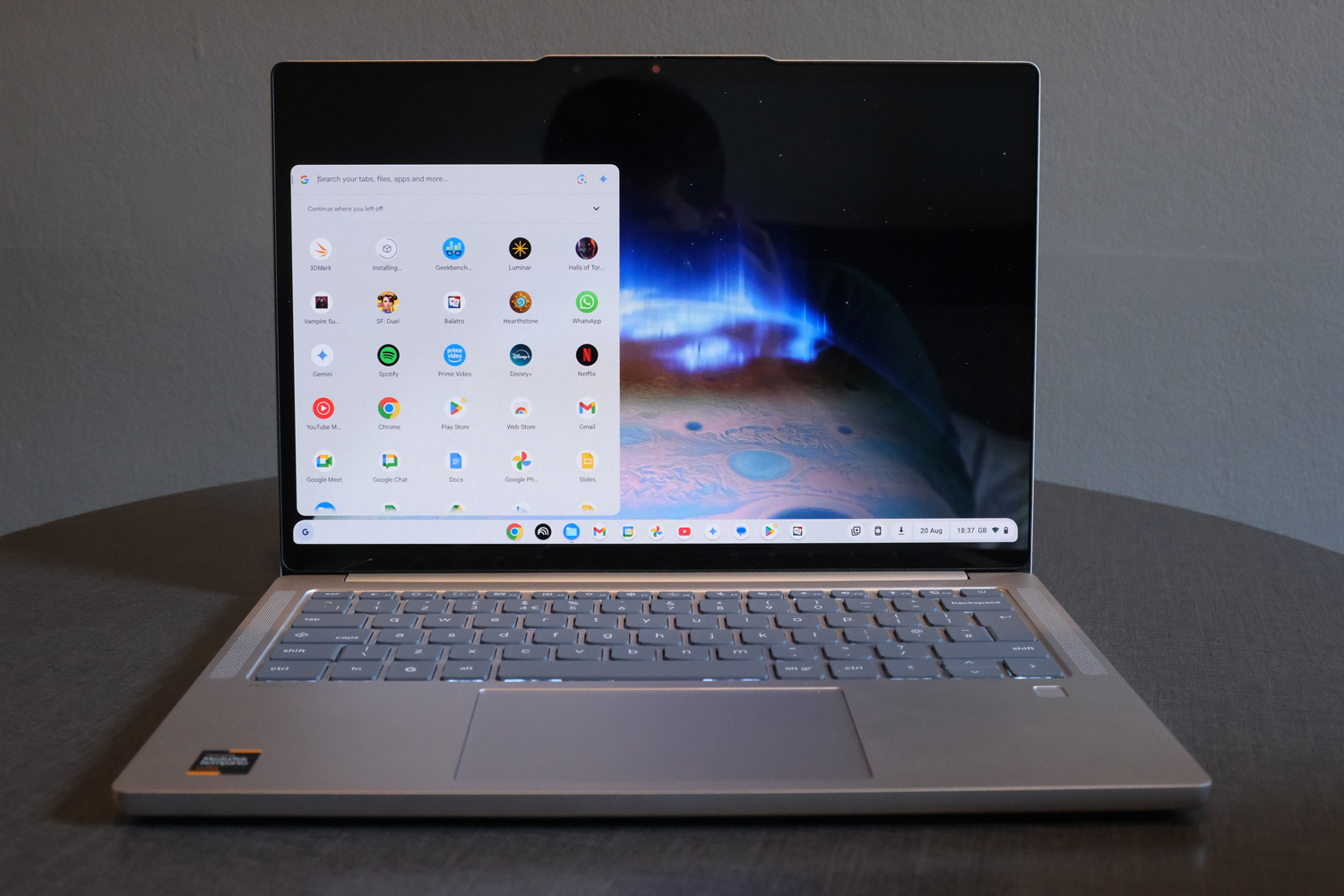
The NPU in particular helps Google’s new Gemini abilities perform quickly, with a context-sensitive AI prompt appearing when you right click pretty much anywhere within the operating system. NotebookLM, a very powerful research tool, is on the app bar from the first boot, and there’s Google Veo-powered generative filmmaking available for the first time. A lot of this falls into the Google I Pro plan, but you get twelve months of that included with your purchase, along with 2TB of Google Drive storage. That’s a generous $200 of extra value.
Smart Grouping is currently exclusive to the Chromebook Plus 14, placing related apps and windows in a new virtual desktop to cut down on alt+tab swapping. It really does streamline your workspace with minimal effort. I found Select to Search with Lens – the laptop equivalent of your phone’s Circle to Search – equally useful, throwing up a window in the corner of the screen with relevant information on anything I highlighted.
This laptop is a far cry from education education-grade Chromebooks with Intel Celeron and Core 3 chips. Everything feels rapid, from opening desktop apps to multitasking and everything in between. I can’t remember native Android apps ever feeling so stable or responsive, either. 3D Android games run at their best settings, and with smooth frame rates. It’s totally silent in the process; this is a fanless machine, and one that never gets especially hot to the touch.
More impressive is how long it lasts. A 60Whr battery doesn’t sound huge, but I was able to squeeze just over 16 hours of looping video playback from a single charge. That works out more like 13 in typical use, but it’s a performance not too far short of Snapdragon-powered ARM laptops costing twice the price, and almost in MacBook Air territory. You don’t have to dip the brightness right down to achieve it, either.
Lenovo Chromebook Plus 14 verdict
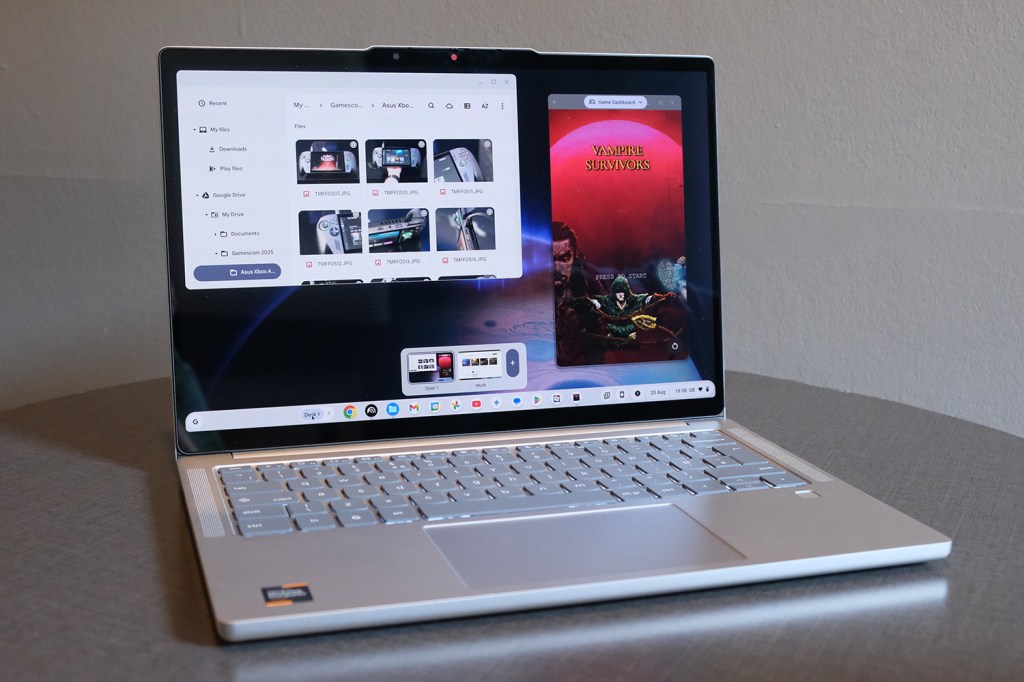
If there wasn’t a Lenovo Logo on this Chromebook’s lid, you’d think it was made by Google. There really is everything a Chrome OS die-hard could ask from a 2025 Pixelbook revival here, including a price that makes other high-ticket Chromebooks seem well off the mark.
A Samsung Galaxy Chromebook Plus might have a larger screen and more connectivity as standard, but I prefer the Lenovo’s more compact chassis – and its speakers are in a league of their own. For sheer value, few Windows-powered rivals come close.
Whether this can be your only computer depends on what apps you use on the daily. I personally couldn’t get by without Photoshop, or being able to batch rename files. That pushed the Lenovo into second laptop territory for me. But if you don’t have to use specific software, this is a fantastic way to live a life of laptop luxury without breaking the bank.
Lenovo Chromebook Plus 14 technical specifications
| Screen | 14in, 1920×1200 OLED |
| Processor | MediaTek Kompanio Ultra 910 |
| Memory | 12GB RAM |
| Graphics | Onboard |
| Storage | 128GB SSD |
| Operating system | Google Chrome OS |
| Connectivity | 2x USB-C, 1x USB-A, 3.5mm headphone port |
| Battery | 60Whr, “Up to 17 hours” |
| Dimensions | 314x219x15.8mm, 1.17kg |


