



Introduction
It’s taken a few decades, but Microsoft has finally followed Nintendo and Sony into handheld territory. Well, sort of. The Xbox ROG Ally is a collaborative effort, with Asus supplying the hardware and the Windows team overhauling things on the software side to better suit PC gamers on the go.
This is a two-pronged effort, just like the Xbox Series S and Series X: the all-white Xbox ROG Ally tested here is the cheaper of the two and is all about 720p play, while the black Xbox ROG Ally X leaves a bigger dent on your wallet in return for more powerful hardware and better haptics. I only got the former in time for Microsoft’s embargo, so my thoughts on the latter will have to wait.
At $600/£500, the Xbox ROG Ally squares off almost directly against Valve’s Steam Deck OLED, and not too far off a Nintendo Switch 2. That’s a tall order given it’s a half-step behind on hardware. Can some streamlined software help close the gap?
Design & build: get a grip
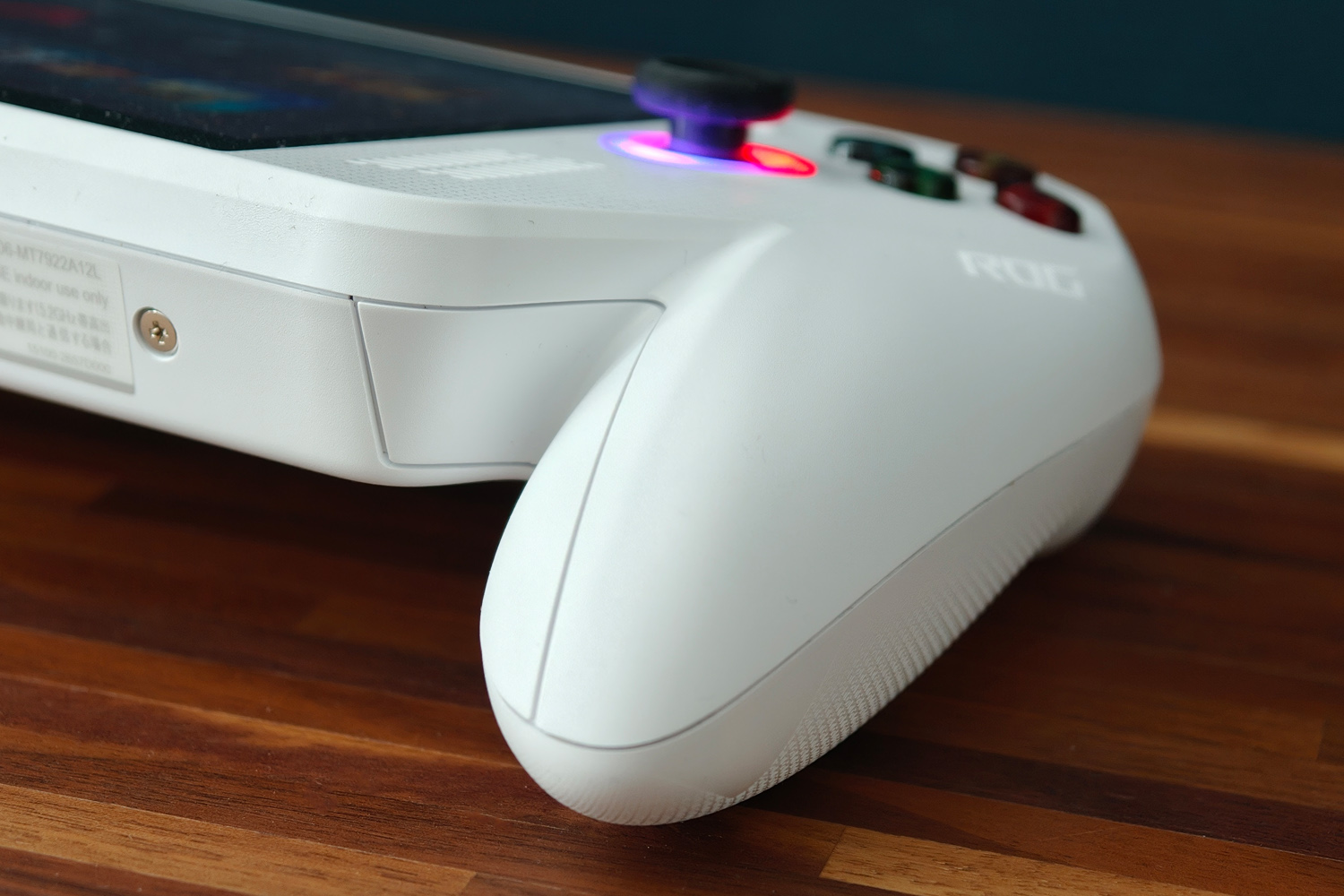
You’d have to be Mr Magoo levels of unobservant not to notice the Xbox ROG Ally’s two biggest additions. The chunky controller grips that have sprouted either side of the 7in screen make the all-white Ally look like a stretched Xbox 360 controller, but they’re super effective. No other gaming handheld I’ve used feels as comfortable as this does to play. The difference between it and the original Asus-badged Ally is night and day; that machine was far too angular, while this one sits naturally in your hands.
They do add to the overall bulk, and means the Xbox ROG Ally is substantially thicker than a Nintendo Switch 2 with its Joy-Cons attached, but I never had any issues fitting it into my bag for some on-the-move action. At 670g it’s not especially heavy – a side effect of not getting the vibrating Impulse triggers found on the pricier Xbox ROG Ally X. It’s a real shame the two firms couldn’t find room in the budget to add them here; I instantly noticed the omission in games I’d previously played on an Xbox.
New grips aside, the only other Xbox-flavoured addition is the dedicated Xbox button alongside the shortcut buttons. It’s genuinely handy for getting back into the new-look Xbox app from within games. Everything else follows the example set by the Asus-branded ROG Ally X in terms of layout. That includes the offset analogue stick arrangement complete with LED under-glow, which can be any colour you like, not just Xbox green.
That means you still don’t get Steam Deck-style touchpads here, but that’s less of an issue now the Xbox interface is better adapted for controller navigation. An eight-way D-pad, four satisfyingly clicky face buttons, springy triggers and a pair of bumper buttons tick all the boxes for a modern controller, and you still get the pair of customisable rear buttons too. Everything falls comfortably under your thumbs and fingers, and is the closest I’ve come to feeling like I’m playing on a first-party console controller rather than a PC-based handheld.
Connectivity hasn’t changed from Asus’ own-brand Ally, meaning you get two USB-C ports at the top edge, along with a microSD card slot, 3.5mm headphone port, and power button that doubles as a fingerprint sensor. It’s ideal for skipping the Windows lock screen, and faster than navigating the onscreen number pad with the controller buttons to enter your PIN.
Screen & sound: in the frame
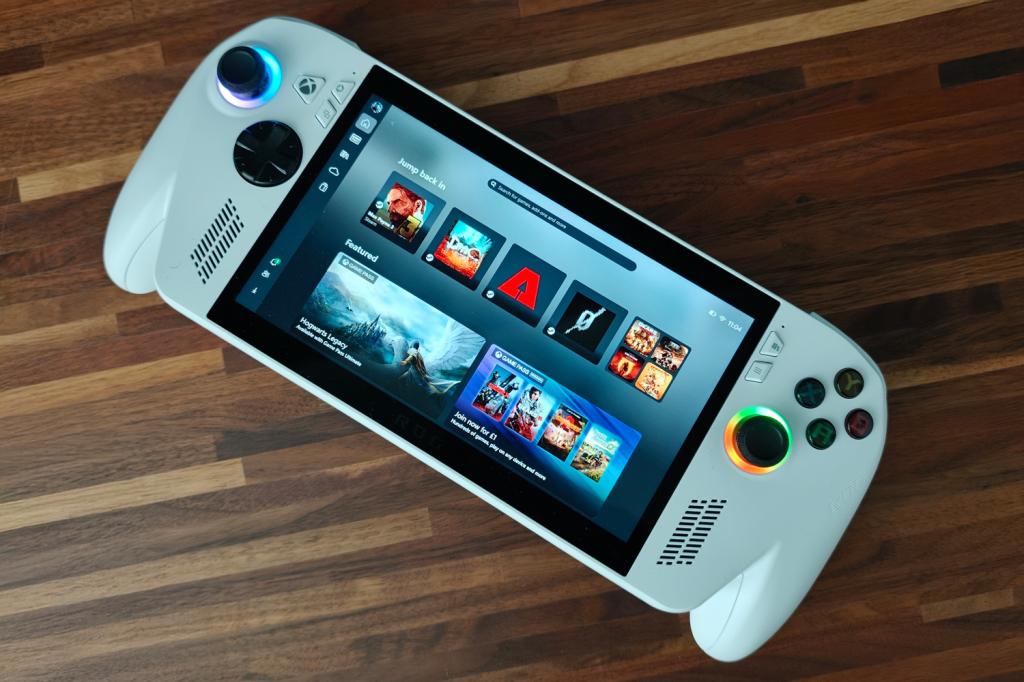
Asus hasn’t really mixed things up on the display front, effectively re-using the 7in, Full HD resolution LCD touchscreen first put in its own-brand Ally. At the time this was pretty competitive with Valve’s original Steam Deck, with a higher pixel count and more traditional 16:9 aspect ratio, but things have changed now the Steam Deck OLED is on the scene.
While the Asus stays ahead on resolution, it’s now one of the smallest-screen PC gaming handhelds out there – and the black panel bezel being such a contrast to the white device body doesn’t help with how big I perceive it to be while playing.
Also, despite officially staying ahead on refresh rate with a 120Hz panel and AMD FreeSync Premium variable refresh, the underlying panel has slower response times than the Deck’s OLED one. To my eyes there’s very little difference when the Ally is able to deliver its highest frame rates. I’m still glad to see it here, though, as it helps keep more demanding games feeling smooth when they dip to low frame rates.
The Ally’s LCD screen delivers pretty punchy colours and decent enough contrast given it’s using an IPS panel, though dark scenes are nowhere near as deep or controlled as rival handhelds with OLED screens. You don’t get any sort of HDR support here either, and the 500 nits peak brightness isn’t going to set any records. I struggled to play a darker section of Cyberpunk 2077’s Phantom Liberty expansion on a recent daytime flight, even with the screen cranked to 100%. At home, however, I regularly played with the brightness slider set somewhere between 25 and 50% brightness.
Viewing angles are decent, rather than spectacular, and with no anti-reflective coating strong light sources can be a distraction in ways they aren’t on the cheaper 1TB Deck OLED. Still, it’s a respectable showing overall, being up there with the larger Lenovo Legion Go S for overall visual fidelity.
I can’t fault the dual front-facing stereo speakers, which deliver impressive amounts of volume and a clear, well defined mid-range. No handheld delivers epic bass, and this is no exception, but the high-end is surprisingly crisp. I rarely felt the need to max out the volume slider, as things stepped into harsh territory, but at 80% I didn’t need headphones for single-player games. Atmos virtual upmixing helps artificially widen the soundstage a little, too.
Software: what an experience
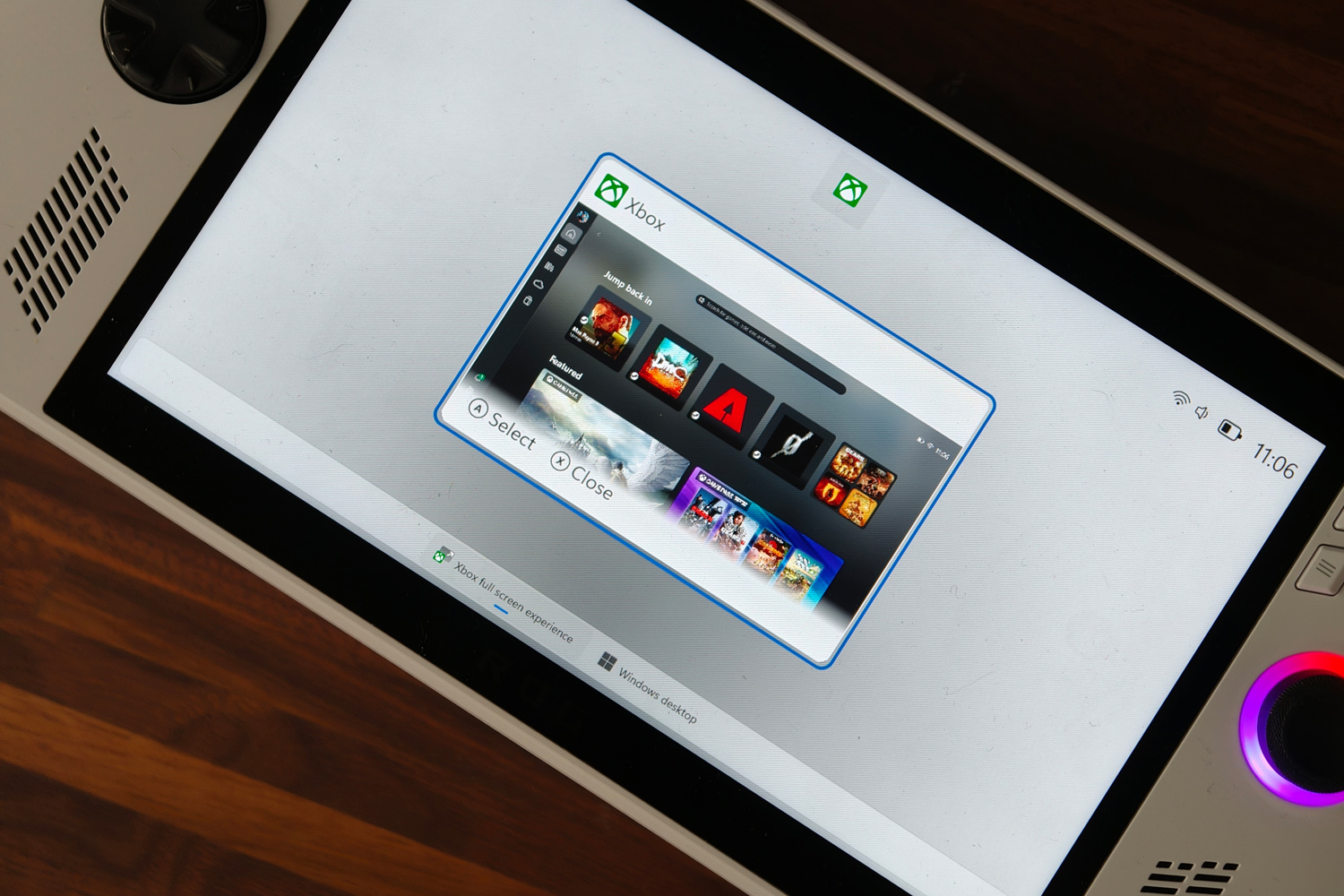
The Xbox ROG Ally’s rebodied hardware is almost a footnote in Microsoft’s wider PC gaming ambitions. It’s the new full-screen Xbox interface that wants to level the playing field with the Linux-based Steam Deck. Power up the handheld and it’s the first thing you see beyond the lock screen.
Visually it’s not too far removed from the Xbox app Windows gamers will be familiar with, except everything is that bit more controller- and small screen-friendly now. Rival game launchers are also fully integrated, so all your Steam, Epic, Battle Net and GOG games appear automatically.
Microsoft would rather you bought your games from its own storefront, of course, and has made that a little easier with a new handheld compatibility programme. Games are flagged as fully supported now, so you know ahead of time whether to expect any issues or dodgy performance.
Crucially, some under the skin tweaks mean a lot of Windows 11’s other background services and tasks aren’t started by default, freeing up precious system resources to keep games running as well as possible. You have to manually switch to the desktop when you need it, and are prompted to reboot when going back to the Xbox interface for best performance. I can’t remember a time I was forcibly taken to the desktop by a Windows Security alert, either. Games with anti-cheat software run without complaint, too – something that can’t be said about the Linux-based Steam Deck.
Even the initial Windows setup process has been streamlined; it’s not as cumbersome on a controller now, and doesn’t bombard you with quite so many questions as before.
The new UI worked great for the most part, even when launching games from the Epic Store or my Steam library; once I’d finished playing, I’d be returned straight to the Xbox interface. The original Ally would’ve spat you out to the Windows desktop. That said, Steam’s big picture mode does butt in when perhaps it shouldn’t – but that’s a setting you have to change, rather than Microsoft or Asus.
I really liked the updated Game Bar, which appears with a press of the Xbox button. It’s a lot easier to see what your Xbox friends are doing now, control the game/chat audio balance, and take screenshots. Pairing some Bluetooth earphones still required a trip to the Windows desktop, though, which was a bit of a shame.
While Asus’ Armory Crate SE software is still on board, it’s largely in the background now. I only really opened the app proper to customise the RGB lighting, update drivers and customise what the rear buttons did. Everything else can be done from the quick settings overlay, either via the Game Bar or directly using the shortcut key. That includes crucial things like changing power mode, resolution, refresh rate and screen brightness. I wish the onscreen performance overlay didn’t get in the way of closing windows when on the desktop, though. It’s one example of the usability tweaks still needed to make this feel as slick as a Steam Deck.
Performance: the only way is up
The Ryzen Z2 A chipset at the heart of the Xbox ROG Ally is the entry-point in AMD’s new handheld-friendly range, but isn’t as new as it seems. It’s based on older Zen 2 architecture, with RDNA 2-based graphics that are several generations behind the Ryzen Z1 Extreme seen in the original Asus Ally. It has half the core count, can only hit a maximum 20W TDP, and has a much lower boost speed.
You’re also only getting 16GB of RAM here, which starves the GPU a little; the Z1 really benefited from having lots of memory, and it seems to be the same thing here. Desktop performance is between 30-50% down on the Asus-badged Ally, across single- and multi-core tests, and you can feel it in app load times.
| Asus Xbox ROG Ally productivity benchmark scores | |
| Geekbench 6 single-core | 1390 |
| Geekbench 6 multi-core | 4872 |
| Geekbench AI | 1791 |
| Speedometer 3.1 browser benchmark | 13.5 |
This isn’t supposed to be a work machine, of course, so it’s gaming performance that matters most. Microsoft and Asus temper expectations by saying the Xbox ROG Ally is best suited to 720p gaming, and that you’ll have to step up to the Xbox ROG Ally X for 1080p play.
That largely bore out in my testing, with recent games not always able to hit smooth frame rates at the Ally’s native resolution. Gears Tactics is still playable with a mix of medium and high details at 32.4fps, while Shadow of the Tomb Raider was asking too much at similar settings. Even with ray traced shadows disabled, I only managed a jump 26fps. With ray tracing turned on, it almost hit single figures.
Dropping to 720p makes a big difference, but there’s still no guarantee of solid performance. Gears Tactics managed 53.9fps, while Shadow of the Tomb Raider managed 43fps – both of which were comfortable enough to play thanks to the screen’s variable refresh rate. Ray traced shadows in Tomb Raider were still out of the question, though. It begs the question why Asus didn’t fit a lower resolution screen; the Steam Deck OLED’s 1280×800 is considerably less demanding than a 1080p panel.
Admittedly older and less demanding games feel right at home at the native resolution. Dredge and Hades could be cranked to the max and still churned out 120fps, even after dropping the power profile down to a lower setting. Well-optimised titles from the 2010s are no trouble either, with DMC: Devil May Cry and Max Payne 3 looking smooth at high details.
| Asus Xbox ROG Ally gaming benchmarks | Native rendering (1920×1080) | Upscaled (720p) |
| Gears Tactics | 32.4fps | 53.9fps |
| Cyberpunk 2077 (RT low) | 29.48fps (FSR3+frame gen) | 51.05fps (FSR3+frame gen) |
| Cyberpunk 2077 (Steam Deck preset, RT off) | 38.4fps (FSR3+frame gen) | 72.59fps (FSR3+frame gen) |
| Shadow of the Tomb Raider (RT on) | 10fps | 17fps |
| Shadow of the Tomb Raider (RT off) | 26fps | 43fps |
AMD does have a few secret weapons to help modern titles stay smooth, namely FSR upscaling and frame generation. Cyberpunk 2077 basically demands both, with even the Steam Deck preset being a struggle at 720p. It dipped to single digits at the Ally’s native resolution without it. With both enabled, I saw a far smoother 72fps average – and even managed a mostly smooth 51fps using the lowest ray tracing preset.
It’s a shame that FSR introduces a visual shimmer that Nvidia has all but dialled out of its DLSS upscaler. It’s quite distracting at times, but equally hard to spot at others. The other issue is that not every game supports the tech. Microsoft is working on an automatic upscaling tool that’ll have universal compatibility, but it won’t be out until early next year – and even then it’ll only benefit the more expensive Xbox ROG Ally X.
Battery life: no efficiency king
As with pretty much every PC-based handheld, how much play time you’ll get out of the Xbox ROG Ally depends on what sort of games you’re into – and how low you’re able to drop the power mode while maintaining a playable frame rate. The three stock profiles let you restrict the Ryzen Z2 A to either 6W, 15W or 20W, and there’s a custom option in Armory Crate that lets you get even more granular.
It helps that Asus has squeezed a 60Whr battery inside. This is less than the 80Whr ROG Xbox Ally X, sure, but considerably more than you got on the original Asus-badged Ally. That handheld’s 40W cell was particularly anaemic.
At the maximum 20W, Cyberpunk 2077 was chomping down a percentage point for every minute of play, meaning you won’t even see two hours of game time. That was with the analogue stick LEDs disabled, screen brightness set to 50%, and flight mode enabled. A Steam Deck OLED can nudge a little over two hours on similar settings, despite having a smaller battery overall.
Swapping to something far less demanding, the excellent mythology-themed roguelite Hades ran perfectly with the 6W power profile, and lowered energy consumption to around 15% per hour – meaning seven hours is doable without having to really fiddle with chip frequencies or core counts. A Steam Deck OLED can go even further, mind.
The 65W power brick Asus puts in the box is half the size of a typical laptop charging adapter, so is perfect for taking with you on the move. It’s able to refuel the Ally in around an hour.
Asus Xbox ROG Ally verdict
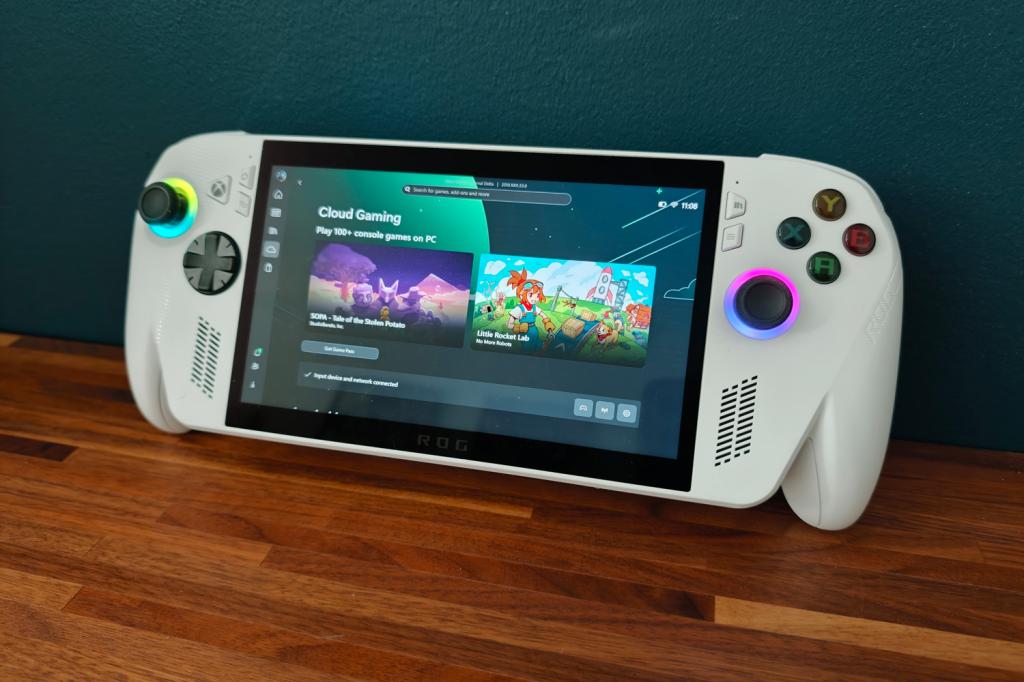
Microsoft finally getting on board the PC gaming handheld train in an official capacity is great news, and the Xbox ROG Ally is a strong start. Behind-the-scenes work has finally stopped Windows from feeling like a lead weight, and the full-screen Xbox interface is a massive improvement over what we had before. On the hardware front, the controller-like grips also make a massive difference to comfort and playability.
I don’t think any of that means all of the Xbox faithful should rush out to buy one, though. The base model Ally can’t match the cheaper Steam Deck OLED for performance muscle, and it doesn’t last as long per charge. Valve’s machine has a superior OLED screen, too. The pricier, more powerful Xbox ROG Ally X and its Impulse triggers looks more tempting, though I’ve yet to test it.
That said, simply having the Xbox seal of approval will surely put PC-based gaming handhelds on the map in a big way, and that can only be a good thing.
Asus Xbox ROG Ally technical specifications
| Screen | 7in, 1920×1080 LCD w/ 120Hz variable refresh |
| Processor | AMD Ryzen Z2 A |
| Memory | 16GB RAM |
| Graphics | AMD Radeon (integrated) |
| Storage | 512GB on-board, microSD expansion |
| Operating system | Windows 11 |
| Connectivity | 2x USB-C, 3.5mm headphone |
| Battery | 60Whr w/ 65W charging |
| Dimensions | 290x121x27.5~50.9mm, 670g / 11.42×4.76×1.08~2.00in, 1.48lb |


