


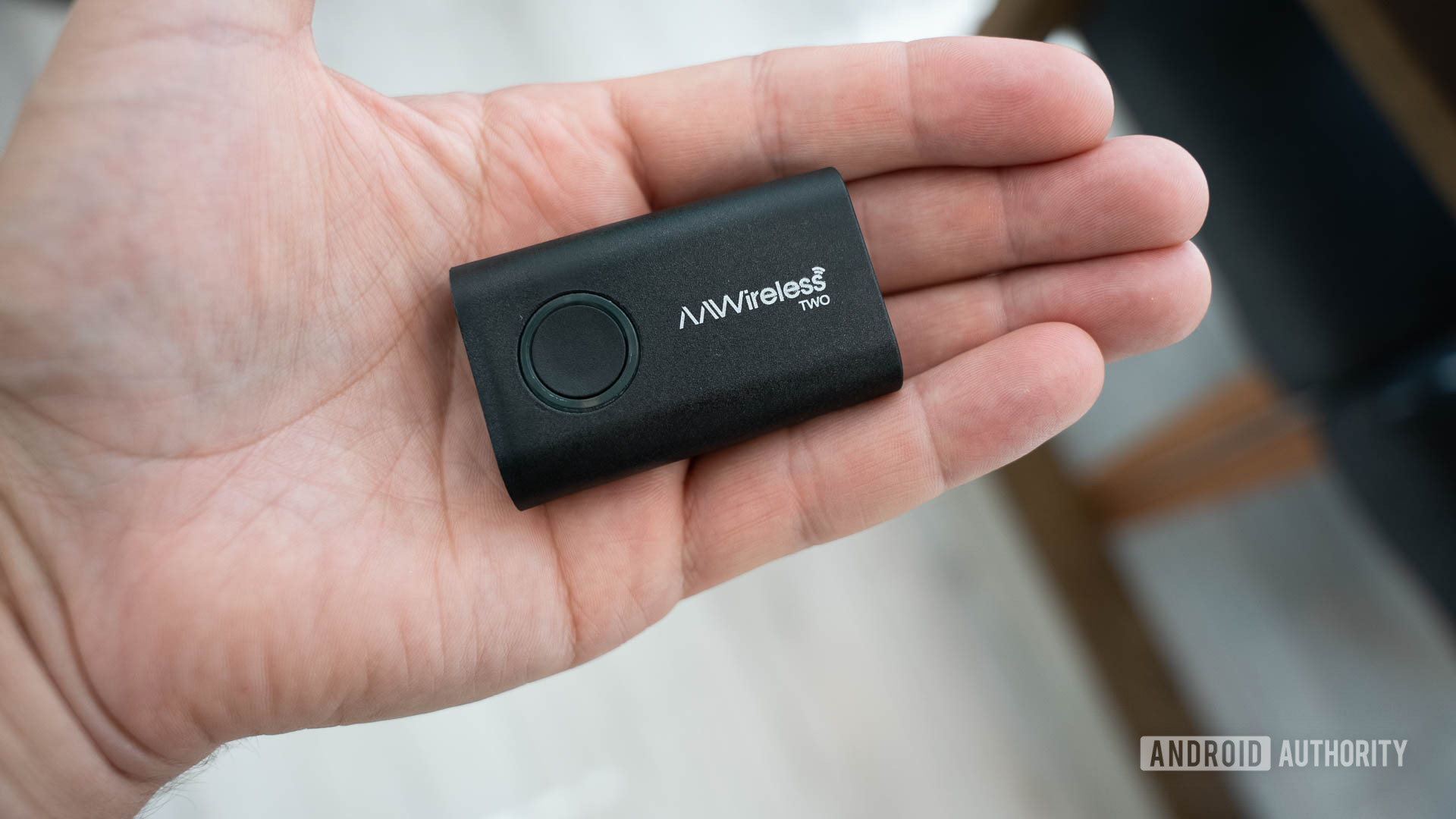
The AAWireless TWO is one of the best dongles you can get to retrofit your car with wireless Android Auto. Setup is incredibly easy, and it has rock-solid connectivity. It’s also not that expensive — in fact, it’s cheaper than the original, despite being better across the board. Even though connection time could be faster and the companion app needs a little work, there’s not much to complain about with the AAWireless TWO.
These days, most newer cars will have wireless Android Auto and Apple CarPlay built in. Support for wireless connectivity prevents you from fumbling with a cable, which is always welcome. Fancy new cars will even have wireless charging pads in the center console, allowing you to simply drop your phone on it and start driving. But what do you do if you have an older car without any of these features? Are you stuck using a cable forever? Thankfully, you’re not: that’s where devices like the AAWireless TWO come to the rescue.
As the name suggests, this is a follow-up to the original AAWireless, launched just over four years ago. It has a few notable upgrades and a slightly lower price, which is always nice to see. But all I care about is whether or not it works: does it work just as well as when I connect my phone to the car with a cable, and does it work as well as those cars with wireless Android Auto built in natively?
To help answer these questions, I got early access to the AAWireless TWO. Here’s what my experience was like!
Setting up the AAWireless TWO

C. Scott Brown /
If you’ve used the original AAWireless (or any wireless Android Auto dongle, for that matter), you’ll feel right at home with the AAWireless TWO. There are only two significant differences with it when compared to the original. First, the device itself is smaller and has been redesigned to be a bit sleeker and more visually appealing. This won’t matter much to most people, as they will likely be hiding the dongle somewhere in their center console anyway. However, it will be good news for anyone with a vehicle that lacks hidden USB ports. The second change is that there’s now a multi-function button on the dongle itself. It has an RGB LED ring that lights up in different colors depending on what’s happening.
I found that getting set up with the AAWireless TWO was a breeze. First, I downloaded the AAWireless app. Then I connected the dongle to my car and put it into pairing mode by holding down the multi-function button for about two seconds. Once the ring was purple, it appeared in the app. I selected it, paired to it, and…that was it. It was incredibly simple — the app doesn’t even require a login!
Once connected, my phone’s apps appeared on my car’s infotainment screen shortly after. Now that I’ve gone through the pairing process, every time I get into the car, my phone automatically pairs to the AAWireless TWO. No more fumbling with cables!
There are a few settings you can tweak in the app should you feel the need to. You can change your country (doing so applies any country-specific networking settings), give your head unit more control over the dongle (which might be necessary with certain vehicle makes and models), and turn off the auto-connect feature (useful if your car’s USB port is always on, as this could assist with more reliable connectivity by allowing you to go through the head unit first). However, I didn’t need to touch any of these standard settings with my car. It just worked.
The basics work as well as one could hope

C. Scott Brown /
I own a 2019 Subaru Crosstrek. It supports wired Android Auto but has no native wireless support. Previously, I had used a similar device — the Motorola MA1 — to add wireless connectivity, but I was supremely disappointed in its lack of reliability, so I abandoned it. I say this because I want to illustrate that I went into this AAWireless TWO review with reservations about just how well it would perform.
Thankfully, I was immediately impressed with how simple and effective the device is, especially compared to the MA1. The setup was quick and straightforward, and once I was connected, everything worked really well.
The AAWireless TWO is dead simple to set up and use. It just works.
Additionally, I connected my partner’s phone to the AAWireless TWO. To do so, I turned off Wi-Fi and Bluetooth on my phone, held down the multi-function button on the dongle for two seconds, and then used her phone (with the AAWireless app installed) to connect to it. Once completed, I turned my networking protocols back on, and could then choose which phone I wanted connected to the dongle at any given time.
When you have more than one phone paired to the dongle, you can instruct it to auto-connect to the last-used phone or have it prioritize connections by using an ordered list. I chose the latter system because I’m almost always driving when we’re together, so I put my phone at the top of the list and hers beneath mine. Now, when I’m in the car, either with her or alone, it connects to me, but when I’m not in the car, it connects to her. I appreciate that AAWireless offers this choice, as different folks might have different needs.
If you have multiple drivers of one vehicle, the AAWireless TWO can handle everyone’s phones.
Thankfully, it is very easy to swap connectivity from phone to phone if neither of the above systems works for you. Once you are connected, a single press of the multi-function button switches connectivity to the next available phone on the list. You can reorder this list however you see fit, allowing you to create a logic tree of sorts. Those of you reading this with a shared vehicle used by many different drivers will no doubt appreciate this feature.
One minor issue my partner and I face with this system is that our car does not have a wireless charging pad, so now our phones lose charge on trips, whereas when we use a cable, they gain charge. This is OK, though, because the option of connecting with a cable is still there should either of us want to do so. We can also connect to a non-Android Auto USB port and charge while still using the AAWireless for the Android Auto connection, so either way, we’re good.
You must be thinking by now that at least one or two things went wrong. Yes, you are correct!
Plenty of room for improvement

C. Scott Brown /
No device is perfect, and even though I am extremely happy with the AAWireless TWO, the company could stand to tweak a few things.
One issue I immediately noticed was audio stuttering when Google Maps navigation instructions came on over my music. Most people reading this are familiar with how this works: your music drops down in volume temporarily, the Google Maps assistant reads out your next navigation instruction and then raises the music volume back up. My problem was that, when this happened, the lowered-volume music would stutter significantly, which was quite annoying.
I faced an issue with music stuttering, but this was fixed by finding a buried setting in the AAWireless app.
I did some digging and found that there’s actually a fix for this in the AAWireless app by going to Settings > Advanced settings > Audio stutter fix. By turning this setting to “Unlimited,” all audio stuttering vanished. I asked AAWireless why this setting is so buried and why it’s not just set to “Unlimited” out of the box, and it told me it has to do with buffer size, which Android Auto should set automatically. The “Audio stutter fix” setting is there as a last resort in case Android Auto doesn’t do this properly. Because the company doesn’t want to mess with how Android Auto works unless it really needs to, this setting is off unless a user turns it on.
Another issue I faced was how the app identified paired devices. My partner and I have the same phone — the Google Pixel 9 Pro — and they both appear on the list with identical names (see photo above). The AAWireless app currently has no way to customize these names, so we needed to do trial and error to figure out which was which to keep them in the proper order, as explained earlier. I asked AAWireless about this, and it said I could avoid this problem by disconnecting the phones, changing their names to something unique within their respective Android settings, and then reconnecting them, which is obviously way less convenient than just being able to customize the names within the app. Hopefully, enough users will complain about this, and AAWireless will add this feature sometime later.
The most inconvenient aspect of the AAWireless TWO is how long it takes to connect: 32 seconds from ignition!
Finally, the most inconvenient issue with the AAWireless TWO is the amount of time it takes to get connected. My partner and I actually timed this out. Entering the car, turning on the ignition, plugging in my phone, and then seeing Android Auto appear on the dash took 15 seconds. The same procedure but not plugging in the phone and waiting for AAWireless to do its thing took more than twice as long. Granted, 32 seconds isn’t a ton of time, but it is considerably slower than going the cable route. If you’re the impatient sort — or the kind of driver who doesn’t come out of park until navigation instructions are working — sticking with a cable might be better than jumping to wireless. Although I didn’t time it out, I have had access in the past to cars with natively wireless Android Auto, and connecting to those took far less than 32 seconds. In other words, this is an AAWireless issue, not a phone issue.
Thankfully, all three of these problems could, in theory, be fixed or mitigated through future software updates. However, we need to judge products on how they perform right now, and the AAWireless TWO is not perfect out of the box.
AAWireless TWO review: The verdict

C. Scott Brown /
I am ecstatic about the AAWireless TWO being in my car. I love being able to hop in and not even take my phone out of my pocket because I know Android Auto will be on my screen in 32 seconds. The cable that used to be permanently draped across my center console is gone, making my car clutter-free. Car rides are more convenient, and I didn’t even need to sacrifice the audio quality of my music or deal with the random shutdowns I saw with previous retro-fitted wireless Android Auto dongles.
The question for you, though, is whether or not this is all worth the $64.99 asking price of the AAWireless TWO. Remember that that’s actually $5.oo cheaper than the original product, which means you’re getting a better, more feature-rich device for less. For me, that is a very fair price, but you might think differently.


AAWireless TWO
Works very well • Small and discreet • Cheaper than original
Get wireless Android Auto in cars that don’t support it natively!
The AAWireless TWO is a dongle that you connect to a USB port in your car. Doing so provides you with wireless Android Auto support. Get rid of that permanent car cable and go wireless!
Another thing to remember is that we already know a follow-up to the AAWireless TWO is coming very soon. The AAWireless TWO Plus, as we expect it to be called, will launch in 2025 and feature Apple CarPlay support — which the AAWireless TWO does not support. This is important info if a frequent driver of your vehicle uses an iPhone while you or another member of your household uses an Android phone. If so, I highly recommend waiting for the Plus model so you can have one do-it-all dongle.
If you and everyone who’s going to drive your car uses an Android phone, though, there’s no reason to wait. I highly recommend the AAWireless TWO!